
Reports help you monitor device activity, compliance, and billing data in your team.
Depending on your role, you can view, generate, download, or delete reports.
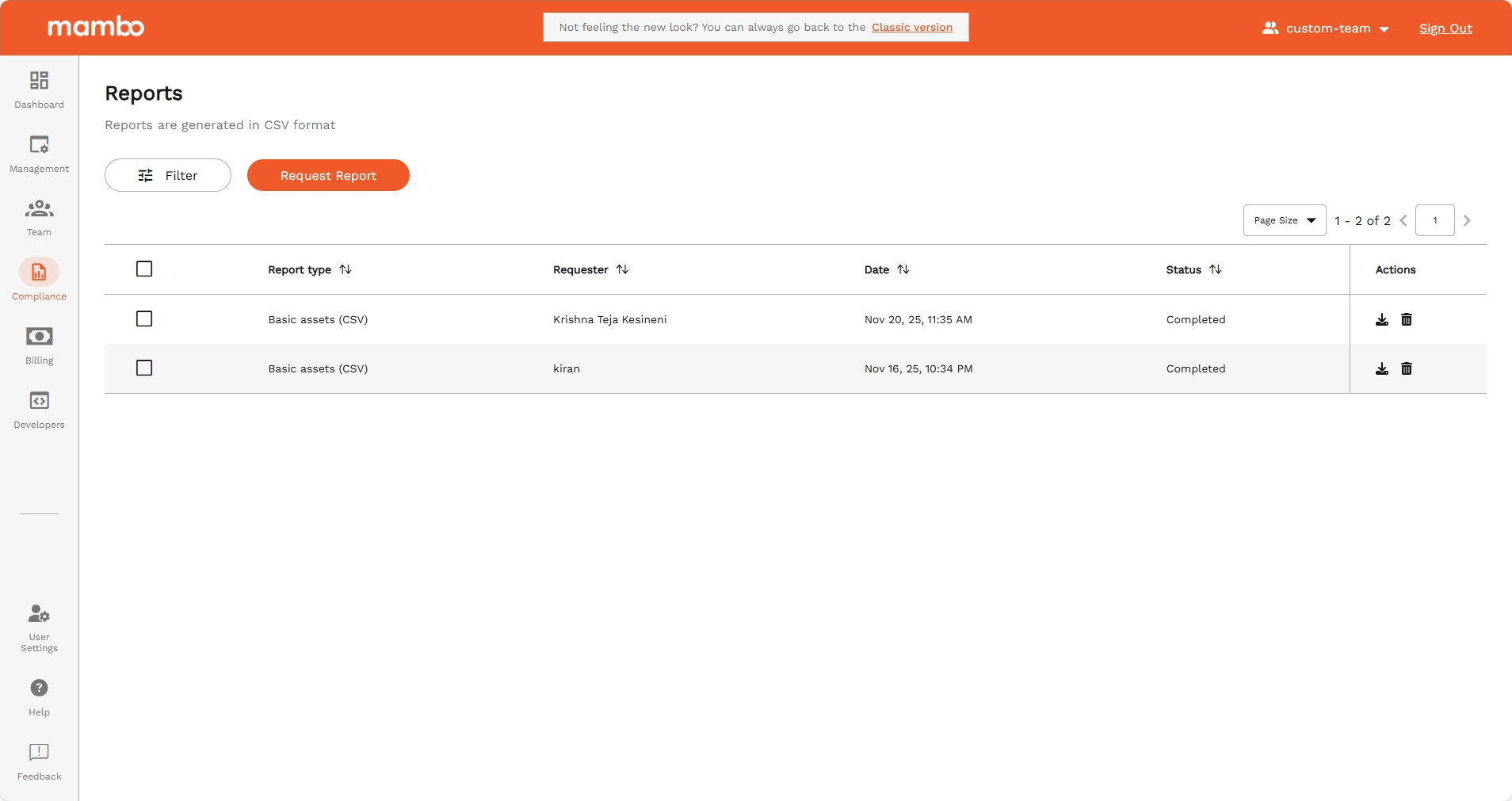
Accessing Reports
- Log in to the mambo EMM console
- Go to Management > Reports
- You will see:
- Report Type
- Requested by
- Date created
- Status
If no reports exist, a “no data” message will be displayed.
Available Report Types
- Activity Reports – Device usage and activity
- Compliance Reports – Policy and security compliance
- Billing Reports – Usage and billing details (Admin only)
Some reports are only available for reseller or admin accounts.
Requesting a Report
- Click Request Report (top right)
- Select the Report Type
- Choose date range or filters (if required)
- Click Submit
The report will appear with one of these statuses:
- Queued – Waiting to start
- In Progress – Being generated
- Success – Ready to download
- Error – Failed
Large reports may take a few minutes.
Downloading a Report
When the status is Success:
- Click the Actions
- Select Download icon
Deleting Reports
Single report
- Record → Delete
Multiple reports
- Select checkboxes → Delete
Deleted reports cannot be recovered.
Report Statuses (Quick Guide)
| Status | Meaning | Action |
|---|---|---|
| Queued | Waiting to start | Wait |
| In Progress | Being generated | Wait |
| Success | Ready | Download / Delete |
| Error | Failed | Retry / Delete |
Flow: Submitted → Queued → In Progress → Success / Error
Permissions
Your actions depend on your role:
| Permission | Can do |
|---|---|
| Read | View reports |
| Write | Create reports |
| Delete | Remove reports |
| Billing Admin | Full access |
Troubleshooting
- Stuck in Queued/In Progress: Wait a few minutes or try again later
- Error: Check permissions, billing status, or date range
- Slow reports: Try smaller date ranges
Summary
Reports in mambo EMM help you:
✅ Monitor devices
✅ Track compliance
✅ Review usage & billing
✅ Support audits and decisions